Introduction
Ever since demonetisation in 2016 and the rise of
UPI,
digital payments have become second nature for most customers in India.
QR codes are now common across kirana stores, salons, and even roadside vendors. However, POS machine remain widely used in organised retail, restaurants, and businesses handling higher-value purchases.
For many small and mid-sized businesses, card payments still make up a meaningful part of sales. Customers often prefer using debit or credit cards for higher-value purchases, EMI conversions, or when they’re short on UPI balance. Some even trust card transactions more for certain categories like electronics, dining, or fuel. Plus, when UPI networks face downtime, something that does happen occasionally, a swipe or tap on a
POS terminal becomes the reliable backup.
Before installing a POS machine, businesses need to carefully consider the costs. The device may look straightforward, but expenses go beyond the hardware, including purchase or rental fees, transaction charges, maintenance, and occasionally fees for faster settlements. For a neighbourhood shop operating on tight margins, every rupee spent on fees matters.
What is a POS Machine and Why Businesses Use It
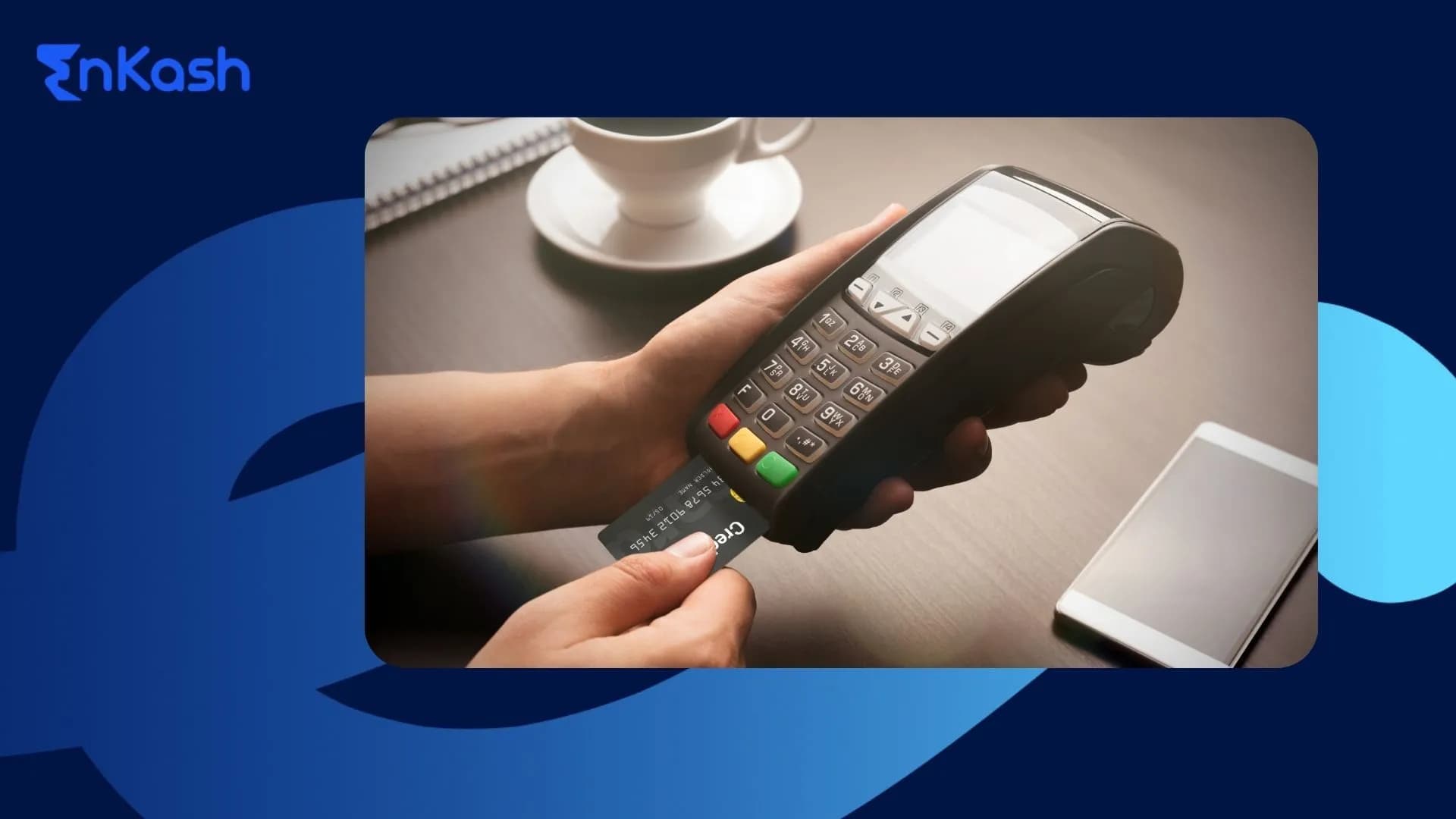
A POS machine helps a business accept card payments at the counter. Customers can swipe, insert, or tap their debit or credit card, and the payment moves securely through the provider’s system. Once the transaction is approved, the money is settled into the merchant’s linked bank account based on the agreed settlement timeline.
POS machines still matter in India because many customers use cards for bigger purchases, EMI payments, dining bills, fuel payments, and corporate expenses. Cards also help customers earn rewards or keep a better record of spends.
For businesses, a POS machine adds another reliable payment option at checkout. It helps reduce failed sales when UPI limits, downtime, or customer preference becomes an issue. It also creates proper transaction records, which makes refunds, reconciliation, and daily sales tracking easier.
POS Machine Cost in 2026
When a business looks at getting a POS machine, the common mistake is to focus only on the device price. In reality, the “cost” is a mix of one-time expenses and recurring charges. Understanding this breakdown helps avoid surprises later.
1. One-time or Upfront Costs
This is what you pay to get the device and start processing payments.
-
- Hardware – Depending on whether it’s a basic countertop unit, a portable device, or a Smart POS with touchscreen and apps, the price can vary widely. Simple models are cheaper, while feature-rich ones cost more.
- Setup and Installation – Some providers charge for delivery, installation, and initial configuration.
- Training – Most banks and providers will offer basic usage guidance free, but advanced setup (for billing, inventory, or integrations) may have a fee.
2. Ongoing or Recurring Costs
These are the charges that continue every month or per transaction:
-
- Monthly rental or subscription – If you don’t buy the machine outright, you pay a rental fee. This may include SIM/data charges for portable devices.
- Transaction charges (MDR) – A small percentage of every card payment goes to the bank/provider. This can differ for debit, credit, and international cards.
- Annual maintenance – Covers servicing, repairs, and sometimes software updates.
- Consumables – Paper rolls for receipts, or replacement chargers/cables.
3. Price Ranges in 2026 (Typical Market Averages)
-
- Basic countertop models: around ₹5,000–₹8,000 if purchased outright.
- Portable wireless POS: around ₹7,000–₹12,000.
- Smart Android POS: anywhere from ₹12,000 to ₹18,000+ depending on features.
- mPOS dongles: ₹1,500–₹3,500.
(These prices are indicative; the exact amount can differ depending on the POS provider, the terms of the offer, and your choice between purchase and rental models.)
4. Purchase vs Rental Models
-
- Purchase: Pay once, then only bear transaction fees and maintenance. Good for stable, long-term use.
- Rental: Lower upfront cost, but ongoing monthly charges. Works for seasonal businesses or those testing card demand.
5. What’s Usually Included in the Base Price
-
- Device
- Charger/docking station
- Pre-installed SIM (for wireless)
- Basic merchant portal access
- Initial training
Extras to watch for: replacement parts, custom billing software, faster settlement services, or additional printing hardware.
Common fee components
1. Device purchase or rental
-
- Buying outright – You pay once for the device and then only cover the ongoing charges like MDR and upkeep. This works well for businesses that plan to use the POS for the long term.
- Rental/subscription – Lower upfront cost but with a monthly fee. Rentals often include SIM/data charges for wireless models and are suitable for businesses that are seasonal or want to test card usage first. Some banks waive rentals if you cross a certain monthly transaction value, so it’s worth asking.
2. Per-transaction fees (MDR)
-
- Charged as a small percentage of the total bill amount.
- Rates vary depending on the type of card and the nature of the business. Domestic debit cards usually cost less to process than credit cards.
- Certain regulated sectors, such as government payments and utilities, may attract lower MDR, but for most categories today, MDR is negotiated directly with banks or payment aggregators.
- EMI transactions and foreign card payments often carry premium charges.
- This fee is taken before you receive the payout, so always account for the net settled amount when planning cash flow.
3. Maintenance and service
-
- Many providers offer annual maintenance contracts that cover servicing, software updates, or replacement of faulty devices.
- Consumables like paper rolls can add up over time, especially in high-traffic locations. Digital receipts help reduce this expense.
- For wireless devices, a SIM/data plan may be included in the rental; if not, factor it into your monthly budget.
4. Settlement timelines and impact on cash flow
-
- Most providers follow a standard T+1 or T+2 working day settlement cycle (T = Transaction Date).
- Faster settlements, sometimes within the same day, may be available for an extra fee.
- Payments due over weekends or holidays can take longer; businesses should plan working capital needs accordingly.
5. Add-ons and conditional charges
-
- Chargebacks and disputes – If a customer raises a dispute, a handling fee may apply. Keeping proper proof of every transaction and training staff on correct payment procedures can help reduce this risk.
- Non-usage or low-volume fees – Some rental agreements include penalties if the device is unused or transactions don’t meet a certain threshold.
- Integrations – Linking your POS with billing, GST, or inventory software may come at an additional charge unless included in your plan.
Factor Affecting Cost of POS Machines
The cost of a POS machine depends on more than the device price. Your final cost can change based on the POS system type, payment processor, transaction volume, contract terms, transaction type, and card network. Knowing these factors helps you choose the right setup and avoid paying for features or charges your business may not need.
1. Type of POS System
Basic POS terminals usually cost less because they offer limited functions like swipe, dip, and tap payments. Feature-rich systems, such as Android Smart POS machines, may cost more as they include billing, inventory management, digital receipts, loyalty programs, and app integrations. The higher cost reflects the added value and convenience these systems provide.
2. Payment Processor
POS providers often work with payment processors to authorise transactions and settle payments into your account. Each processor may have a different fee structure for debit cards, credit cards, EMI payments, and international cards. Before choosing a POS provider, check the processor’s charges so you understand the actual cost of accepting payments.
3. Transaction Volume
Businesses with higher transaction volumes often get better pricing. Since they bring more consistent revenue to POS providers, they may be able to negotiate lower MDR, reduced rentals, or better settlement terms. Small businesses with lower or irregular card sales may have higher fees or minimum usage requirements.
4. Contract Length
Longer contracts can sometimes help you get lower transaction fees or reduced rental charges. POS providers prefer predictable revenue, so they may offer better rates for annual or long-term plans. However, shorter contracts give more flexibility if your business is new, seasonal, or still testing card payment demand.
5. Transaction Type
Debit card transactions usually have lower fees than credit card transactions. Credit cards, EMI payments, international cards, and corporate cards often attract higher charges because they involve different risk and processing costs. If most of your customers use credit cards or EMI, your overall POS cost may be higher.
6. Card Network
Card networks such as Visa, Mastercard, RuPay, and others may have different processing charges. These fees are usually included in the MDR charged by your POS provider. While you may not see them separately, they can still affect the final cost of accepting different card types.
Popular POS Providers in India
Once you know the cost structures and the factors that influence charges, the next step is to see how different providers stack up. In India, the POS market is a mix of traditional bank-led merchant services and fintech-led solutions. Each comes with its pricing, features, and service strengths.
1. Major POS Providers in India
Some of the well-known names you’ll come across include:
-
- Pine Labs – Widely used by mid-to-large retailers, known for robust devices and EMI handling.
- Paytm POS – Popular with small and mid-sized merchants for QR + card acceptance in one device.
- Mswipe – Offers a range from mPOS dongles to smart Android terminals, known for competitive pricing.
- ICICI Merchant Services – Bank-led offering, often bundled with current accounts.
- HDFC SmartHub – Bank-backed, with smart POS options and integration with banking products.
- SBI POS – Large presence in semi-urban and rural areas, strong service reach through bank branches.
2. What to Compare Beyond Price
When evaluating providers, don’t just look at “headline MDR” or machine rental. Check:
-
- Hardware – Build quality, battery life, NFC/contactless support, integrated printer.
- Transaction fees – Domestic debit, credit, international, EMI — and any volume-linked discounts.
- Rental vs purchase – Flexibility to switch models if your transaction volume changes.
- Settlement time – Standard cycle and cost of faster payouts.
- Software features – Billing, inventory, GST, integrations.
- Support coverage – On-site vs remote, speed of device replacement, dispute handling.
3. Merchant Perspectives
-
- Merchants processing a large volume of EMI transactions (electronics, jewellery) often find Pine Labs’ EMI handling and bank tie-ups smoother, despite a slightly higher fee.
- Small cafés and retail counters often opt for Paytm POS or Mswipe for their quick onboarding and the ability to accept both QR codes and cards in one.
- Businesses in smaller towns tend to choose SBI POS or bank-led services for branch-based support.
- Some merchants switch providers purely to get better settlement cycles or to avoid hidden “non-usage” penalties.
Tips to Reduce POS Costs in 2026
These days, most small businesses can’t operate without accepting card payments. That doesn’t mean you have to take whatever rates and fees are offered; a little preparation and negotiation can help you keep POS costs manageable without losing out on service quality.
1. Negotiate Based on Volumes
Before you talk to a provider, pull together the last few months’ sales figures — or realistic estimates if you’re just starting. Knowing your average bill size and monthly volume gives you a stronger position to ask for lower MDR or waived rental charges.
2. Pick the Right Device for Your Needs
If you run a single counter, you probably don’t need a high-end POS with every feature under the sun. For light usage, even a basic portable machine or mPOS could be enough. Upgrade only when extra functions will save time or boost sales.
3. Consider Seasonal Rentals
If your business has busy months, say around festivals, tourist seasons, or school admissions, it may work out cheaper to rent an extra POS during those periods instead of paying for it year-round.
4. Bundle Services with Your Bank
If you already have a current account, ask your bank if they can offer a better deal on POS. Many will reduce fees or drop rental charges if you route card transactions through them. Some even give better rates if you also use their payment gateway or other business services.
5. Avoid Paying for Unused Add-ons
Loyalty programs, detailed reports, or advanced invoicing tools sound good on paper, but they can add to your monthly bill. If you’re not ready to use them right away, leave them out for now. Most providers can activate them later.
6. Watch Out for Minimum Usage Clauses
Some plans charge you extra if you don’t meet a set monthly transaction value. If your sales are unpredictable, choose a plan without these conditions.
7. Train Your Staff to Reduce Errors and Chargebacks
Simple errors during billing or disputes over charges can cost you in fees and lost time. A short training session for your staff can go a long way in preventing avoidable problems.
Read More:
How to Choose the Right Payment Solution for Your Small Business
Conclusion
Even with UPI being so common, card payments still matter for a lot of businesses. A POS machine helps you serve customers better, speeds up checkout, and gives you a backup when other payment options fail.
The trick is to choose a system that suits your business, understand the full cost, not just the device price, and keep an eye on what affects those charges. Use your transaction data to your advantage and negotiate where you can.
When managed well, a POS machine isn’t just another device on your counter; it’s a tool that keeps sales flowing and customers happy without eating into your profits.
FAQs
1. What is a POS machine?
A POS (Point-of-Sale) machine is a device that lets businesses accept card payments via swipe, chip insert, or contactless tap. It processes the payment and transfers the amount to the business’s bank account within the agreed settlement period.
2. How much does a POS machine cost in India in 2026?
The cost depends on the type of device and whether you buy or rent it. In 2026, prices typically range from ₹1,500 for a basic mPOS reader to ₹18,000 or more for feature-rich Smart POS devices. Rentals usually range from ₹400 to ₹1,200 per month, plus transaction fees, though some banks offer promotional plans starting as low as ₹200.
3. What is MDR in POS payments?
MDR (Merchant Discount Rate) is the percentage fee charged on each card transaction. The rate varies depending on the card type (debit, credit, international) and the nature of your business.
4. Do debit and credit card transactions have different fees?
Yes. Domestic debit card payments usually attract a lower MDR compared to credit cards. International cards, corporate cards, and EMI transactions often carry higher charges.
5. How long does it take to receive money from POS transactions?
Most providers follow a T+1 or T+2 settlement cycle, meaning funds are credited to your account one or two working days after the transaction. Faster settlement options are available at an additional cost.
6. Can a POS machine also accept UPI payments?
Yes. Many new POS devices in India now support hybrid payments, allowing you to accept both card and UPI transactions on a single machine.
7. Is it better to rent or buy a POS machine?
It depends on your business. Buying makes sense for steady, long-term use as you avoid ongoing rental fees. Renting can be cost-effective for seasonal businesses or if you want to test card demand before committing.
8. How can I reduce my POS costs?
You can lower costs by negotiating MDR based on your volumes, choosing the right device for your needs, avoiding unused add-ons, bundling services with your bank, and training staff to prevent errors and chargebacks.
9. What should I check before choosing a POS provider?
Look at the total cost (device + transaction fees + maintenance), settlement time, device reliability, integration options, and quality of customer support.
10. What happens if my POS machine is not used for a long time?
Some rental plans have minimum usage requirements. If you don’t meet them, you may have to pay a penalty. Always check the terms before signing up.